
Performance, Intel MKL and multithreading
Updated May 12, 2026
Intel® oneAPI Math Kernel Library (oneMKL)
To improve performance and reduce analysis times, flow5 uses the LAPACK library provided by NetLib to perform operations on linear systems.
LAPACK is provided by different packages depending on the OS:
- Linux:
- OpenBLAS; usually provided by default by the distro.
- Intel’s Math Kernel Library (Intel MKL) .
- Windows:
- MacOS: LAPACK is provided by the native Accelerate framework
The use of LAPACK has led to a dramatic reduction of calculation times compared to xflr5.
flow5 vs. xflr5
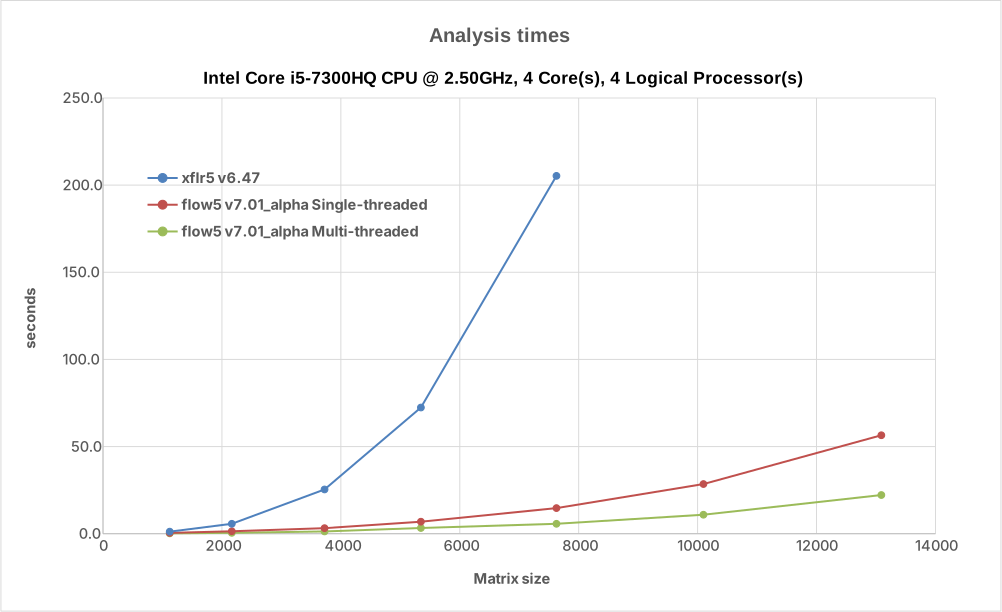
The analysis times in flow5 have been greatly reduced with the use of Intel's MKL library and with multithreading. This in turn allows the use of higher mesh sizes. The following chart shows the improvement when running on an Intel Core i5@2.50GHz.
Back to top
flow5 on macOS
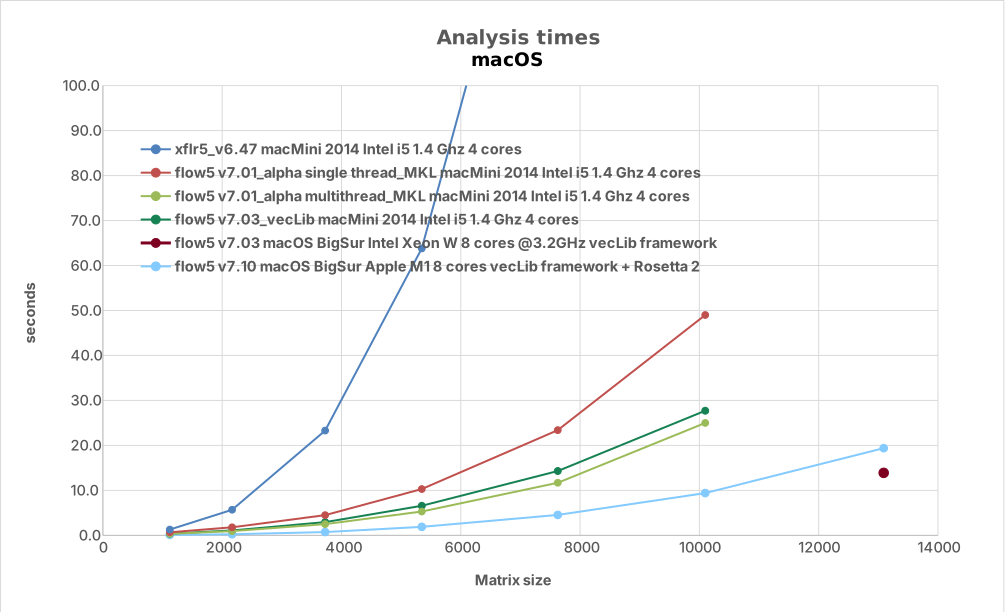
The benefits are similar on a low-end aging macOS. The macMini 2014 platform was limited to 4Gb RAM, so that memory issues limited the benchmark to matrix sizes no greater than 10000.
The MKL librairies have been replaced by the macOS native vecLib framework starting with v7.03, with comparable performance.
flow5 runs smoothly on macOS mini M1 with the Rosetta 2 translator, with good performance.
Back to top
flow5 on different CPU
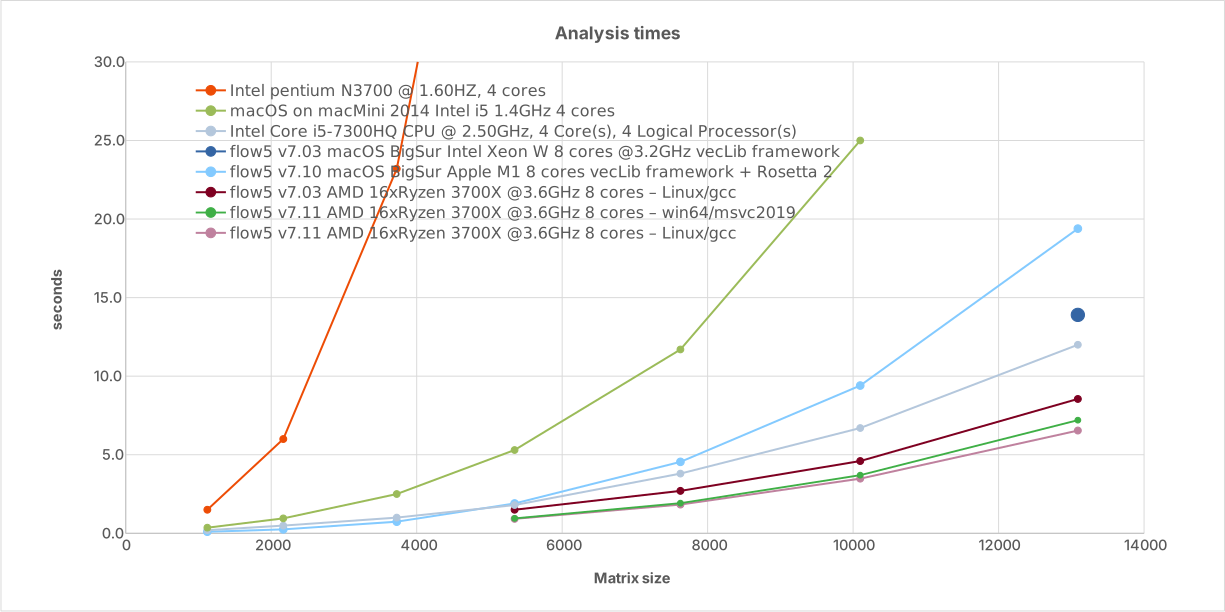
The analysis times diminish with the processor's speed and number of threads as shown in the graph below.
It is to be noted that Intel's MKL library is specifically optimized for Intel processors, so that the benefit on an AMD processor is not quite as significant as could have been expected given the number of cores. The improvement is still significant nonetheless.
The model used to perform the testing can be downloaded here: LU_test.fl5.
Back to top
Troubleshooting
MKL has been reported to run slowly on Intel "Efficiency cores" with LU factorization times increasing by one or two orders of magnitude.
This problem may be fixed by forcing MKL to run on "Performance cores". These pages explain how to proceed:
- Linux: Managing Performance with Heterogeneous Cores
- Windows: Managing Performance with Heterogeneous Cores
In addition, an option has been added in v7.56 to override the MKL_DYNAMIC environement variable.
The option is set in the Preferences/Multi-threading. Dynamic behaviour is enabled by default. Disable it if performance is deficient.
Back to top